Guides / Cost
Machining a 65% Keyboard Case: Layout-Specific Cost Notes
October 20, 2026
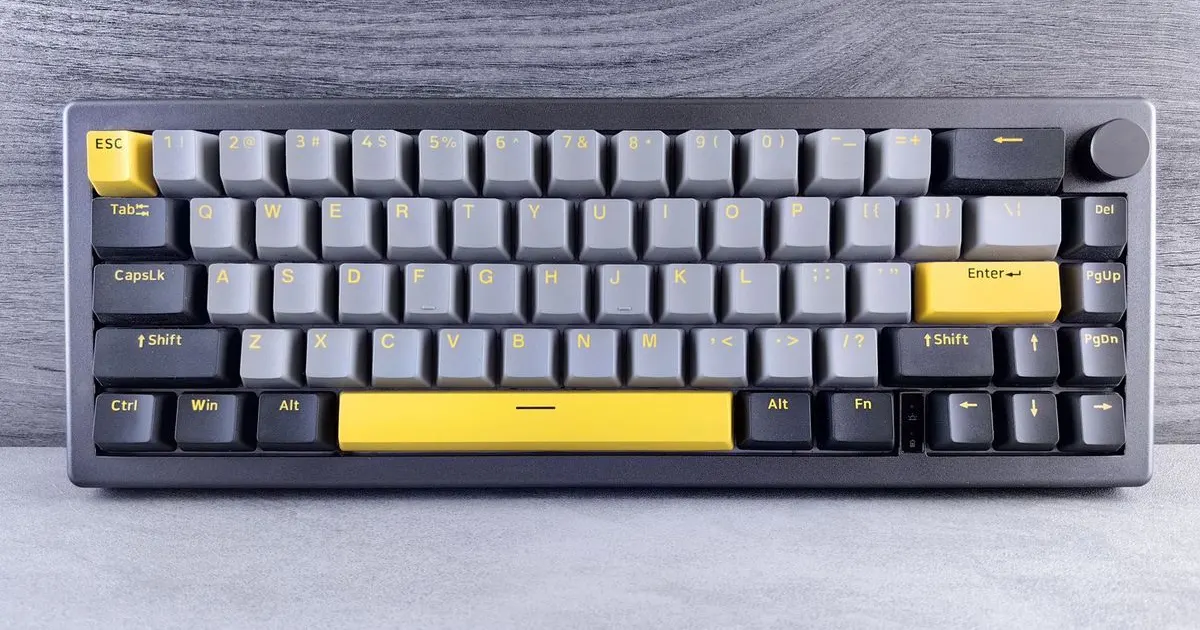
If a keyboard case layout were ranked by how easy it is to get a fair quote, the 65 percent would come first. It is small, very common and cut by almost every shop that does cosmetic aluminium. Fixture plates and programs for a 300 to 330 mm case already exist in many shops, and the block fits a mill of modest size.
That does not mean every 65 percent case costs the same. The details of the layout, the ports and the top surface still move the price. This guide covers what changes the cost on this layout specifically, so you can read a quote and know which line is doing the work.
What the layout is
A 65 percent keyboard has no function row and no navigation cluster, but it keeps the arrow keys and a small column of keys on the right edge. It typically has about 68 keys on a layout 16 key units wide and 5 rows tall.
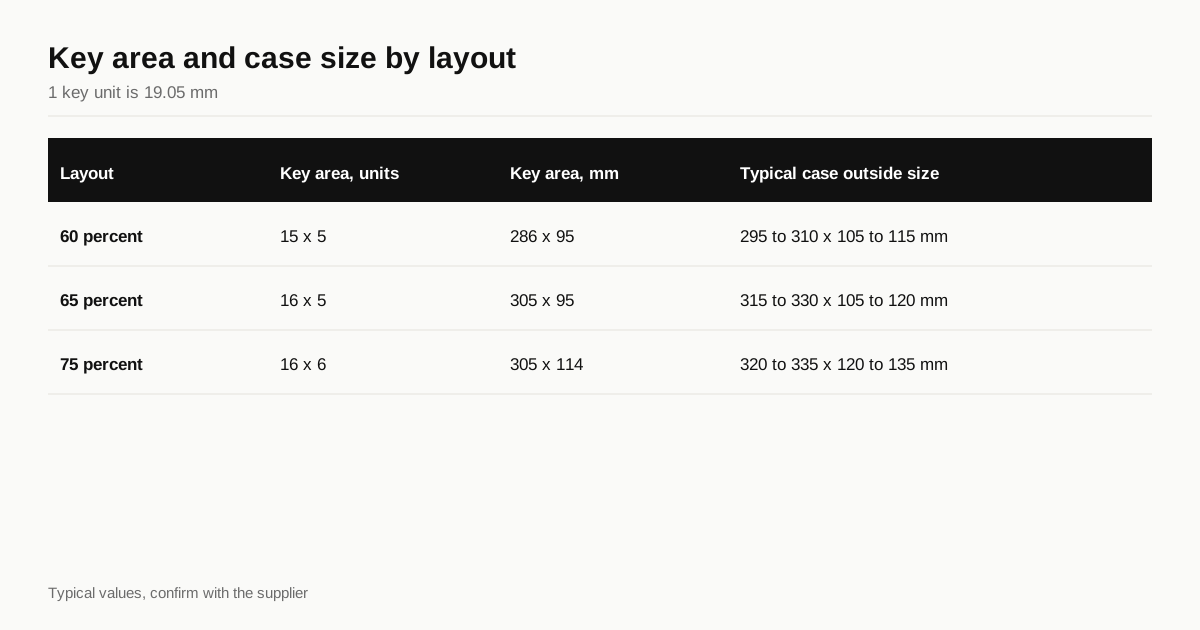
A key unit is 19.05 mm, so the key area works out as shown here.
| Layout | Key area, units | Key area, mm | Typical case outside size |
|---|---|---|---|
| 60 percent | 15 x 5 | 286 x 95 | 295 to 310 x 105 to 115 mm |
| 65 percent | 16 x 5 | 305 x 95 | 315 to 330 x 105 to 120 mm |
| 75 percent | 16 x 6 | 305 x 114 | 320 to 335 x 120 to 135 mm |
The outside size depends on the bezel, the walls and the style. A tight bezel gives a case near the lower figure, a wide one at the upper end. The difference between a 60 percent and a 65 percent is only one extra key unit in width, about 19 mm, and nearly all the cost differences between them come from that.
The footprint effect
A 65 percent case sits at a useful size for a shop. It is small enough to fit comfortably in a three axis mill with about 400 mm of travel on the long axis, and it uses a block of reasonable mass. A shop with 500 to 700 mm of travel can often fit two cases on a fixture plate in one setup, which spreads the setup time and the probing across both.
Three things scale with footprint:
- Material. The block grows with the case. See plate stock sizing for how block mass is worked out.
- Pocket time. The large internal pocket for the PCB and plate is where most of the spindle hours go. A longer, wider pocket takes more passes.
- Fixture and machine fit. Beyond about 400 mm, some shops have to switch to a larger machine, and the hourly rate changes.
The 65 percent sits just below that point. A case a little larger, such as a 65 percent with a wide bezel or a 75 percent, can push a job onto a bigger machine and raise the price more than the extra area suggests.
The arrow cluster and the bottom edge
A 65 percent layout puts the arrow keys in the bottom row, and the right side modifiers are squeezed to make room. That mostly affects the plate and the PCB.
For the case, two details matter:
- The bezel at the bottom right. The arrow cluster sits close to the edge, so the bezel there is often narrower than elsewhere. A narrow bezel is a thin wall, with all the issues covered in tolerances, and the shop should know where the minimum is.
- Clearance for stabilisers and cables. The long bottom row keys need stabilisers, and stabilisers need room under the plate. If your design leaves a shallow floor, check the clearance against a real stabiliser.
Neither adds cost on its own. Both can cause scrap if they are discovered late, so a drawing note and a prototype are worth the effort.
Ports, knobs and cutouts
A rectangular hole through a thick wall is an extra operation on a milled case, and the position of the hole shapes the work.
- USB cutout. Most 65 percent boards put it at the top centre or the top left. It is a slot cut through the back wall of the top case. Size it for the moulded boot of the cable, not just for the socket.
- Inside corners. A router cuts a rounded corner, set by the tool radius. A slot with sharp internal corners needs a smaller tool and more time, or a second process.
- Knob. Some 65 percent boards have a rotary encoder in the top right corner, which needs a hole in the top bezel or a cutout in the plate. A round hole is cheap and a shaped one is not.
- Switches and LEDs. A slide switch or an LED window on the side is another feature on a face that may need its own setup.
Each of these adds minutes, and a setup for a side feature can add much more. The five axis versus three axis guide explains why a feature on the side wall can add a whole flip on a three axis machine.
Typing angle and the top surface
Most keyboards tilt the typing surface slightly, typically about six degrees, either by feet or by shaping the case.
- A flat case on feet is the cheapest. The top is flat, the bottom is flat and the tilt comes from rubber feet or a separate part.
- A wedged case has a sloped top or an angled bottom. The shop cuts it with a tilted fixture or a three dimensional tool path. A sloped surface cut on a three axis machine leaves small scallops that a finishing pass must remove, and time rises.
- A sculpted case with curves needs a long finishing cut with a small ball nose tool. It can double the cycle time against a flat top.
If your design offers a choice, flat on feet is the cost saver. A wedge is a reasonable cost for a case that looks better than one on feet. A full sculpt should come with a quantity that supports it.
Weight, depth and wall design
Two variables set most of the remaining cost:
- Depth. A taller case needs a thicker block, deeper pockets and longer tools. Each extra 5 mm adds both material and time.
- Walls. Thin walls need slower finishing cuts and carry a higher scrap risk. A wall of 3 mm or more gives the shop more freedom than one of 1.5 mm.
If the case has a weight, it will be a separate part. See the brass weight guide for how the two pieces fit together.
Why the layout is a good first project
For a first group buy the 65 percent has a real advantage beyond price. Because so many shops have cut one, the questions you will be asked are routine, the quotes are easy to compare and the usual problems are well known. A shop that has cut fifty of them can tell you where thin walls fail and which cutout is likely to cause trouble.
That experience is also what a first-time designer lacks. If you are new to running a build, the 65 percent lets you learn the process, from drawing to prototype to run, on a layout where mistakes are cheap and advice is easy to find. The sequence in the custom case guide works as well here as anywhere.
The flip side is competition. Many designs share the same footprint, so the case itself is rarely what sets yours apart. Finish, colour, weight, feel and details at the edges do that, and those are exactly the places where cost rises. A sensible plan spends the budget on one or two features that buyers notice and keeps the rest of the case plain.
Reading a 65 percent quote
When two quotes for the same 65 percent case differ, look for the cause in this order:
- Number of setups. One shop may see two and another four.
- Alloy and block size. A larger or more costly block raises the price.
- Finish. A blast and anodise in a deep colour costs more than a clear.
- Top surface. Flat, wedged or sculpted.
- Scrap allowance. A higher overage lifts the unit price.
- Quantity. Compare at the same number. A 65 percent at 100 pieces and at 300 pieces are different prices.
The full breakdown is in what a machined case actually costs, and the case cost estimator lets you test how the factors combine on a model of your own.
See also: 65% keyboard case: stock, cuts and cost, the reference page with the block, mass and modelled price bands by mount.
Before you request a quote
- Outside size and depth stated
- USB cutout position, size and boot clearance shown
- Knob or other cutouts listed
- Typing angle: flat on feet, wedge or sculpt
- Minimum wall called out near the arrow cluster
- Quantity and finish stated
Layout is one cost line among several in our guide to keyboard case manufacturing cost.
When the drawing is ready, send it through the RFQ form and we will match it with shops that cut 65 percent cases regularly.
Frequently asked questions
Why is a 65 percent case cheaper to machine than a TKL?
The block is smaller, the pocket is shorter and more shops can fit it on their machines. Cutting time rises roughly with the pocketed area, so a smaller footprint saves both material and spindle hours.
How big is a 65 percent keyboard case?
The key area is 16 units wide, about 305 mm, and 5 rows tall, about 95 mm. Most cases add 10 to 25 mm around it, so outside sizes of about 315 to 330 mm by 105 to 120 mm are typical.
Does the arrow cluster change how the case is machined?
Not much. It changes the plate and PCB more than the case, but it can affect the position of the USB cutout and the bezel at the bottom edge. Describe any special clearance near the arrows on the drawing.
Need a quote for your case?
Send the files. We match you with up to 3 shops that machine keyboard cases and reply within 24 business hours.
Get matched with a keyboard case shop