Guides / Design and Fit
Wireless Keyboard Cases: Antenna Windows and Battery Space
October 26, 2026
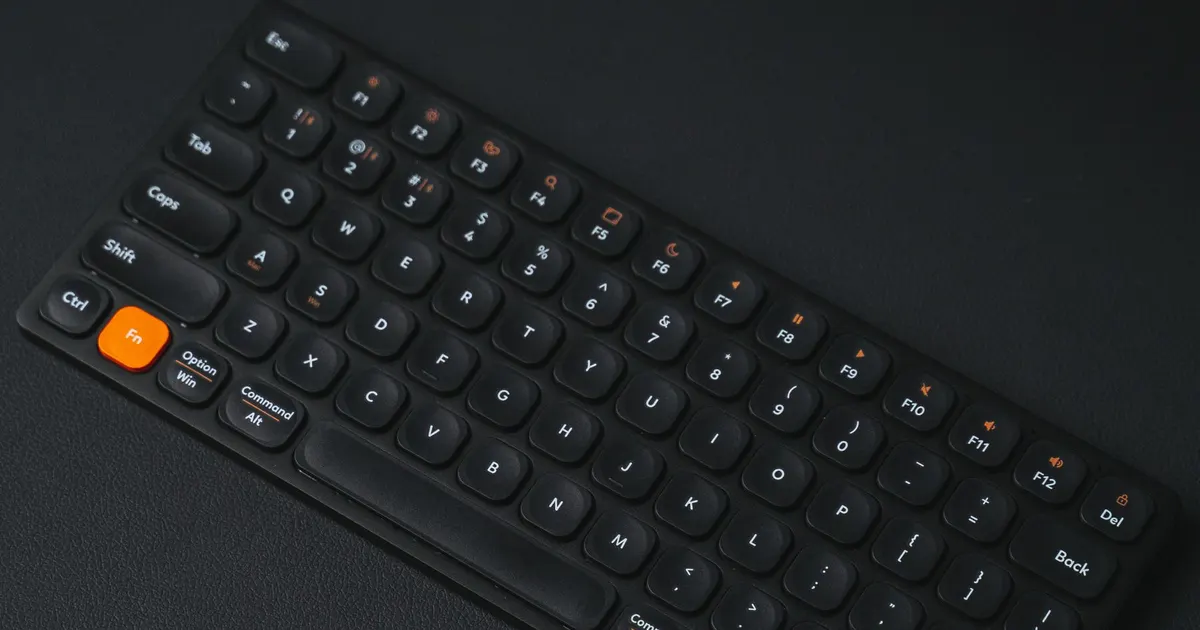
Wireless is the feature most buyers ask for and the one that most often breaks a metal case design. A keyboard that connects over Bluetooth or a 2.4 GHz dongle has a radio inside, and an aluminium shell around a radio is a poor idea. A battery adds a second problem: space, safety and shipping rules.
Neither problem is hard if it is planned. Both are expensive if the case is machined first and the radio discovered later. This guide covers what a wireless build needs from the case, what to tell the shop and what to test on a prototype.
Why metal and radio do not mix
Radio waves cannot pass through a solid metal enclosure. A sealed aluminium case acts as a shield, and a Bluetooth module inside will lose most of its range or fail to connect at all. The antenna also needs to be clear of nearby metal, and even a nearby plate, standoff or screw can detune it.
The usual strategy is to give the signal a way out:
- Move the antenna outside the metal. Put it at a plastic window or at the edge of a case where a gap lets the signal pass.
- Use a non-metal part. A plastic bottom, back panel or top insert replaces a section of the case.
- Take the radio outside. A 2.4 GHz dongle on a cable sits away from the case entirely.
Module makers publish a keep-out zone around the antenna, an area where no metal, copper or ground should sit. A design must respect it. The figures come from the data sheet for the module you pick, so check it before the case is drawn.
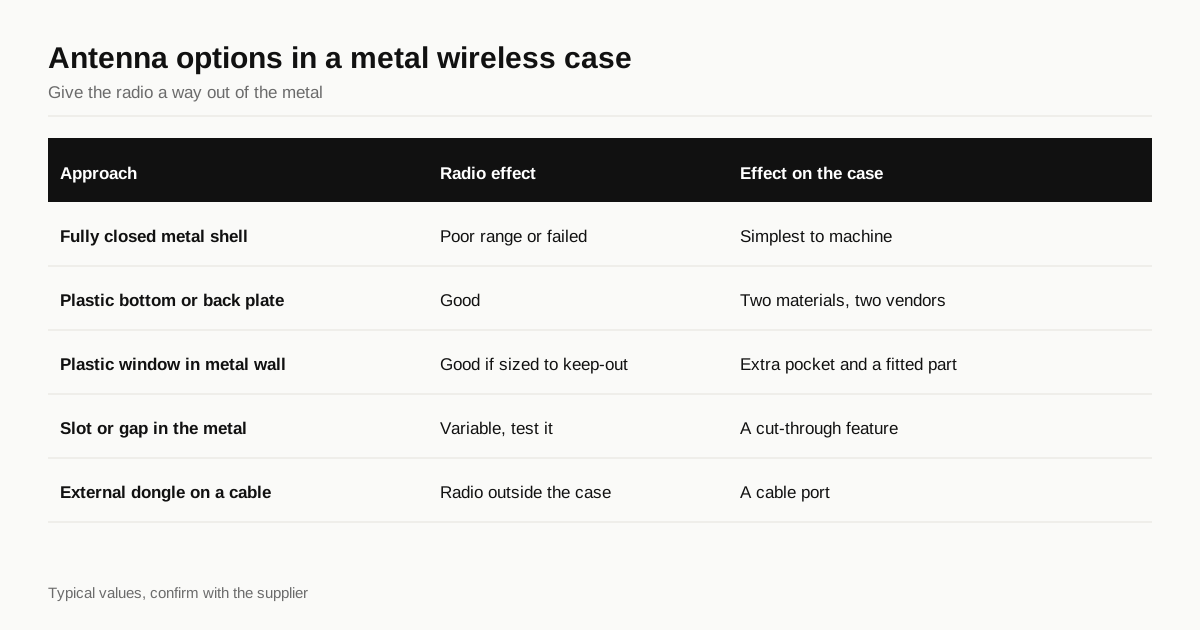
Options for the antenna
| Approach | Radio effect | Effect on the case | Notes |
|---|---|---|---|
| Fully closed metal shell | Poor, short or failed range | Simplest to machine | Not suitable for an internal antenna |
| Plastic bottom or back plate | Good | Two materials, two vendors | Common for metal top cases |
| Plastic window in a metal wall | Good if sized to the keep-out | An extra pocket and a fitted part | Needs a tight fit and a finish match |
| Slot or gap in the metal | Variable | A cut-through feature | Needs testing on a prototype |
| External dongle on a cable | Radio is outside the case | A cable port | Adds a part for the buyer to manage |
The plastic bottom is the most reliable choice, and many metal wireless boards use it. The metal top gives the look, and the plastic covers the radio. The case and the plastic part are made separately, and the joint between them is a fit, so tolerances matter. See the tolerances guide.
A window cut into a metal wall is trickier. The pocket must be machined to a close fit, the plastic part has its own tolerance and the colour or finish of the plastic is on show. If the window is meant to blend in, the finish must match across two different materials, which is difficult.
What else sits near the antenna
Even with a plastic window, other parts can spoil the radio. A good layout keeps these away from the antenna zone.
- The plate. A metal plate under the keys is a large sheet of metal. If it extends over the antenna end of the PCB, it can detune or shade it. Cut the plate back, or choose a plastic plate for that corner. The plate options are in the plate material guide.
- Weights and standoffs. A brass weight or a metal standoff close to the antenna adds metal in the worst place. Move it or shorten it.
- The battery. A cell has a metal foil layer, so keep it clear of the keep-out zone.
- Screws. A line of screws near the antenna acts as a partial shield. Leave a gap in the pattern at that end.
- Wiring. Cables running beside an antenna pick up signal and detune it. Route leads away from it.
A mock case that includes the real plate, weight and battery tells you more than one with only the PCB. Move parts a few millimetres and repeat the range test until the connection holds at the distance you need, then draw the case around the result.
Test before you cut metal
The antenna’s behaviour depends on the geometry in a way a drawing does not show. The reliable way to check is to test.
- Build a mock case from plastic, acrylic or a quick 3D print, with the same internal layout.
- Add metal where the real case will have it, such as a plate and aluminium foil on the walls or a temporary metal shell.
- Test range and connection at a realistic distance, with the board in its normal position on a desk.
- Test again with a hand near the antenna, since a body absorbs radio.
A prototype in aluminium follows the same logic as any prototype: an hour of testing is cheaper than discovering a dead zone after two hundred cases are anodised.
Regulatory marks for radio products, such as the approvals needed to sell a wireless device in a given market, are the seller’s responsibility. Many radio modules arrive pre-approved, but the finished product may still need its own testing. A compliance lab can say which, and the machine shop cannot.
Battery space
A wireless board carries a lithium polymer cell. The cell sits in the case, and it needs a pocket that is generous in every direction.
Pouch cells are named by size, with the first digits giving thickness in tenths of a millimetre, then width and length in millimetres. These are typical examples, and capacities vary by maker.
| Cell code | Thickness | Width | Length | Typical capacity |
|---|---|---|---|---|
| 502535 | 5.0 mm | 25 mm | 35 mm | about 500 mAh |
| 603450 | 6.0 mm | 34 mm | 50 mm | about 1000 mAh |
| 804060 | 8.0 mm | 40 mm | 60 mm | about 2000 mAh |
The pocket should add margin, since cells swell with age and a tight pocket pushes on the PCB:
- Thickness. Add about 10 to 15 percent for swelling, plus any foam or tape.
- Width and length. Add a millimetre or two for easy fitting.
- Wiring. Leave a channel for the cell leads and the connector.
- Protection. Keep screw tips, sharp edges and the boss corners clear of the cell. A punctured lithium cell is a fire risk.
- Retention. A small lip or a strip of tape stops the cell from sliding around.
A deeper pocket means a thicker case or a shallower plate area, so the battery should be chosen early. A larger cell means a longer battery life and a thicker case, and the case thickness feeds directly into block size and cost. See what a machined case actually costs for how depth affects the price.
Ports, switches and indicators
A wireless board has features a wired one does not, each of which is a hole in the case.
- A charge port. A USB-C socket, cut with clearance for the cable boot.
- A power switch. A slide switch needs a slot, and a slot cut through a thick wall costs time.
- An LED or light pipe. A small hole for Bluetooth status, sometimes with a clear insert.
- A reset button. A tiny access hole, often on the bottom.
Group them on one face where possible. Features on a single side can usually be cut in one setup, whereas holes on three sides add flips. The fixturing guide explains why.
Shipping a battery
Lithium batteries are regulated in transport. A group buy that ships boards across borders has to follow the rules, and the rules affect the choice of carrier and the cost.
- Test evidence. Cells need to have passed the UN 38.3 transport tests, and the cell maker supplies a summary.
- Classification. Batteries packed with or contained in equipment travel under their own UN numbers, with limits on cell size and quantity.
- Carrier limits. Some carriers and routes, especially by air, restrict or refuse lithium batteries, and rates differ.
- Packaging. Boards need to be packed to keep the cell from being crushed or short circuited.
Plan the shipping before the run is built. A design that depends on a battery that cannot be shipped to half your customers is a design with a problem. A forwarder or the carrier’s dangerous goods desk can give the actual rules for your route.
Before you request a quote
- Antenna plan chosen: plastic bottom, window, gap or dongle
- Module keep-out zone checked in the data sheet
- Mock case tested for range
- Battery cell chosen with swelling and wiring margin
- Charge port, switch and indicator positions grouped
- Battery shipping route and carrier checked
When the plan is set, send the files through the RFQ form and we will match them with shops that cut cases with plastic inserts and radio windows.
Frequently asked questions
Can an aluminium keyboard case work with Bluetooth?
Yes, but only if the antenna is not buried inside a closed metal shell. Designers add a plastic window, a plastic bottom or a gap in the metal near the antenna, and test range on a prototype before committing to the run.
How much space does the battery need?
A pouch cell of about 2000 mAh is typically around 8 mm thick, 40 mm wide and 60 mm long, plus clearance for swelling and wiring. Leave extra depth and keep screws and sharp edges away from the cell.
Are there shipping rules for a keyboard with a battery?
Yes. Lithium batteries are regulated dangerous goods in transport. Cells need UN 38.3 test evidence, and air freight and some carriers restrict or require special packing, so plan it before the run ships.
Need a quote for your case?
Send the files. We match you with up to 3 shops that machine keyboard cases and reply within 24 business hours.
Get matched with a keyboard case shop