Guides / Design and Fit
Machining a Knob for a Keyboard Encoder, and the Case Hole It Sits In
November 4, 2026
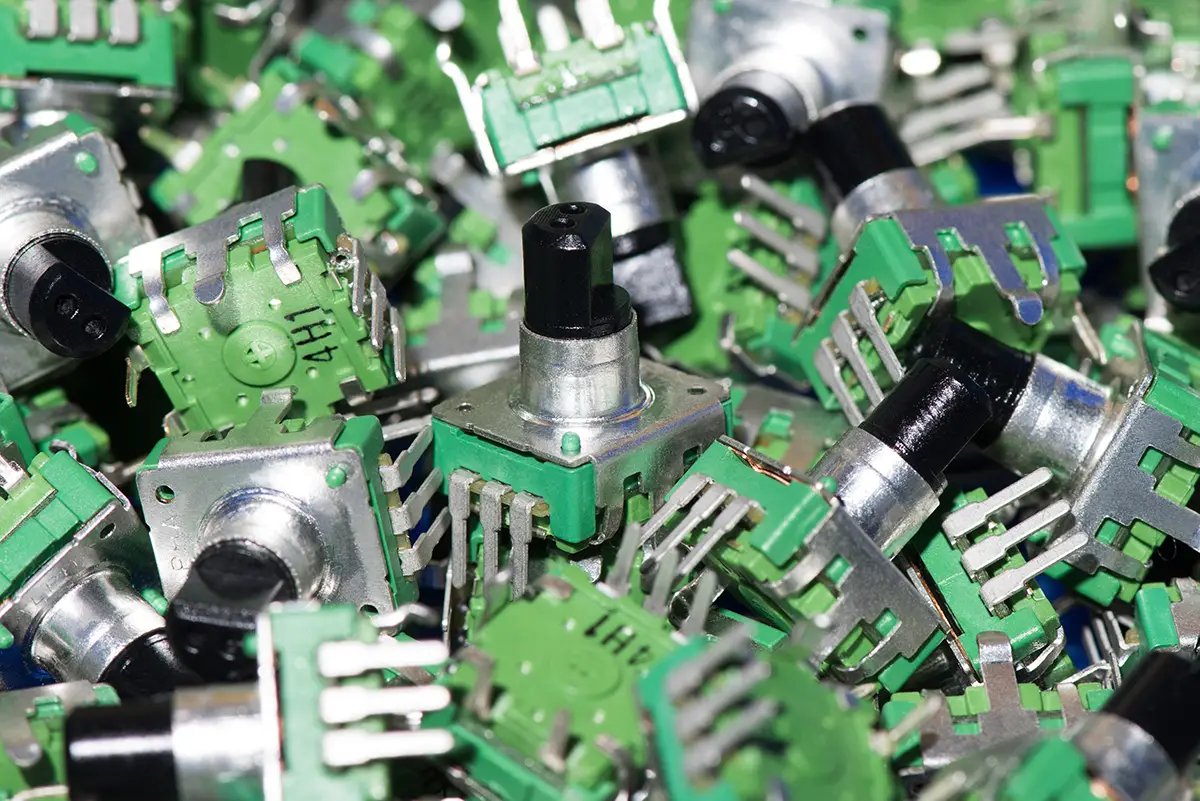
A keyboard rotary encoder knob is a turned part with a bore that must fit a 6 mm shaft and a gap that must clear the case. The shaft is a standard component from a datasheet. The knob and the hole it sits in are what a shop machines, and most of the errors come from how the two meet: the wrong bore, no allowance for the finish or a gap too small for the push switch. This guide lists what the machinist needs and how to dimension the knob and the case hole so they work together.
It uses the manufacturer’s data for the Alps Alpine EC11E series, which is one of the common encoder families, and Wikipedia for how an incremental encoder works. Your board may use a different part, so every number here is a reason to open your own drawing and not a figure to copy.
What the encoder gives the machinist
Wikipedia describes an incremental mechanical encoder as a part with two output signals, A and B, in quadrature. The pulse count tells how far it turned, and the order of the signals tells the direction. Mechanical types need debouncing in the firmware, which is the board designer’s job and not the shop’s. For the knob what matters is the shaft and the body.
Alps Alpine lists the EC11E series as an 11 mm size metal shaft encoder. Its product page for the EC11E15244B2 gives a 6 mm shaft diameter and a flat actuator 20 mm long, and a 3D CAD file is available from the same page. The catalog lists nine variants on the same series:
| Property | Alps EC11E listing |
|---|---|
| Shaft diameter | 6 mm |
| Actuator | Flat, 20 mm long on the listed parts |
| Detents | 18, 30 or 36 |
| Pulses per turn | 9, 15 or 18 |
| Detent torque | 10 plus or minus 7 mN·m |
| Push-on switch | Without, or with 0.5 mm or 1.5 mm travel |
| Rating and life | 10 mA at 5 V DC, 15,000 cycles |
The catalog says it shows outline specifications only and tells users to obtain the formal specification for supply. Treat the table as a map of the options and take the actual dimensions from the drawing or the CAD file for your part number.
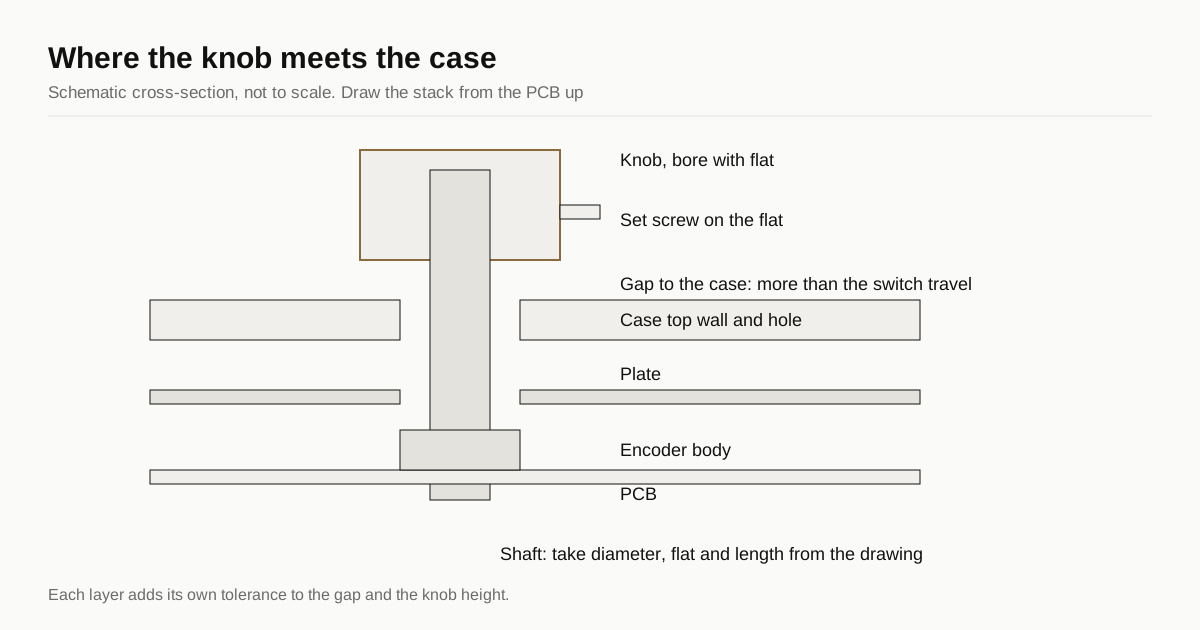
The knob: a small turned part
A knob is a round part, so it is turned on a lathe or a mill-turn machine, then finished. The features that decide fit are few.
- The bore. It must match the shaft and its flat. The flat is what lets a set screw grip the shaft without slipping, so the bore needs a matching flat or a screw seat that lands on the flat. Take both from the drawing. A round bore on a flatted shaft will fit loosely and wander.
- The set screw. A small set screw pressed on the flat holds the knob. Put the screw where a driver can reach it with the knob fitted. Ask the shop how it will tap a thread in a small knob, since a thin wall gives a weak thread. The screw insert and tapped hole guide covers the same trade-off on a case.
- The depth. The bore must not bottom on the shaft. Leave air at the end of the bore so the knob seats on the flat and not on a tight stop.
- The outside. Knurling, a flat top, a chamfer or a knob with a dished top. A knurl is a texture cut on a lathe, and it changes the grip and the price. Bead blasting or polishing can replace it, as in the bead blasted case guide.
Knobs share a world with small turned parts such as keycaps. The machined keycap guide explains why a part that small is a different quote from a case.
The case hole and the gap
The encoder body sits on the PCB or in a plate cutout, the shaft rises through the case, and the knob goes on the shaft. Three dimensions link them.
- Hole diameter. The hole must clear the knob or the shaft, depending on the design. A knob that sits above the case needs a hole only for the shaft or the bushing, and a knob that sinks into a pocket needs a bigger hole with room all round.
- Shaft height above the case. This sets the height of the knob. The shaft is 20 mm on the listed EC11E parts, but the part below the knob also includes the body, the board and the plate, and each has a tolerance. Draw the stack from the PCB up and not from the top of the case down.
- Gap to the case. The push-on versions of the EC11E have a switch travel of 0.5 mm or 1.5 mm. A knob that presses the switch must move down by that much, so the gap between the knob and the case must be bigger than the travel with room to spare. A knob that rubs the case when pressed is the most common fault.
A gap on a drawing is a stack of tolerances. The tolerance guide explains which dimensions on a case deserve a number. For the encoder, the gap and the shaft height deserve one.
Finish changes the fit
Anodising adds a film to the part. Wikipedia says the oxide grows into and out from the surface by equal amounts, so each surface grows by half the film thickness. It gives Type II coatings as 1.8 to 25 µm, which means each surface grows by roughly 0.9 to 12.5 µm across that range. The range shows why a bore dimensioned on bare metal can bind on a 6 mm shaft after finishing.
Wikipedia advises specifying that dimensions apply after finishing, so the machine shop allows for the coating. For a knob:
- Dimension the bore and the outside after finish, or state which surfaces are masked.
- Ask the shop to ream or lap the bore after anodising if the fit is tight.
- If the knob is anodised and the case is anodised, the pair must come from the same metal lot and colour run, as the colour matching guide explains. A knob in a different lot will show a different tone next to the case.
A bare brass knob avoids the problem and gives a contrast in colour and weight. See aluminium versus brass for the cost difference.
What to put on the drawing
| Callout | Why |
|---|---|
| Part number of the encoder and a link to its drawing | The shaft, flat and length belong to the part |
| Bore diameter and flat, after finish | The fit depends on the finished size |
| Set screw size and position | The shop needs to tap it and you need access |
| Gap between knob and case, and its tolerance | Clears the switch travel |
| Hole diameter in the case or plate | Sets the clearance round the knob |
| Surface finish and masked faces | Controls build-up on the bore |
The drawing callout reference shows how to word these. The CAD package guide lists what else a shop needs. Include the encoder’s CAD model, because the shop can then check the stack for itself.
Test before the run
Order the knob and the case hole in the prototype round. Fit a real encoder, press it and turn it. Check three things:
- The knob seats on the flat and does not wobble.
- The knob presses the switch and returns without touching the case.
- The finish colour on the knob matches the case under daylight and warm light.
The prototype guide explains why this round pays for itself. If your board has a knob in a corner, the 65 percent case guide covers what a hole or plate cutout adds to cycle time.
To compare shops on a case and a knob together, send the files through the RFQ form. We match the request with up to 3 shops and reply within 24 business hours.
Sources
- Alps Alpine, EC11E15244B2 product page (shaft, actuator, detents, switch travel, CAD)
- Alps Alpine, EC11E series catalog page (variants, detent torque, travel)
- Wikipedia, rotary encoder
- Wikipedia, anodizing
- SparkFun Electronics, rotary encoder photo on Wikimedia Commons (CC BY 2.0)

Encoder data is the manufacturer’s outline specification. Check the formal drawing for your part before you cut.
Frequently asked questions
What shaft does a keyboard rotary encoder knob fit?
Many keyboard boards use an EC11-style encoder. Alps Alpine lists the EC11E series with a 6 mm shaft diameter and a flat actuator, 20 mm long on the listed parts. Other EC11 variants use other shafts, so take the bore from the drawing of your exact part number and not from the series name.
How big a gap should a knob leave to the case?
More than the push switch travel plus the stack-up of the parts. Alps lists the push-on switch travel of its EC11E parts at 0.5 mm or 1.5 mm. If the gap is smaller than that, the knob rubs the case when pressed. Add margin for the finish build-up, and set the final figure with a prototype.
Should the knob be anodised?
It can be. Anodising grows each surface by about half the film thickness, so a flat bore that fits bare metal can bind on a 6 mm shaft after finishing. Dimension the bore after finish, or ask the shop to mask or ream it. A knob that matches the case must also come from the same metal lot and colour run.
How many detents does a keyboard encoder have?
It depends on the part. The Alps EC11E series lists 18, 30 or 36 detents for 9, 15 or 18 pulses per turn, with a detent torque of 10 plus or minus 7 mN·m. Choose the count for the feel you want, then check the drawing before you set the knob height.
Need a quote for your case?
Send the files. We match you with up to 3 shops that machine keyboard cases and reply within 24 business hours.
Get matched with a keyboard case shop